
Today I saved $4,500 using a single prompt.
Context
Kwanda just got 501(c)(3) status in the United States. For context, Kwanda is a small diaspora fund I founded. We've deployed nearly $250k across 17 countries, impacting over 22,000 lives.
We're a tech-first team of 3 people, and that's all we need to reach our $1m annual income target. We're now about 20% of the way there.
Being small and tech-first means we lean heavily on software. Cloud tools, design apps, communication platforms, analytics, email, CRM. It adds up. Right now, we're spending around $2,000 a month on subscriptions alone.
So when the 501(c)(3) came through, the obvious question was: how many of these tools offer non-profit pricing? The annoying part is that every provider buries their non-profit programme on a different page, with a different application process, different eligibility criteria, and different verification partners. Manually researching 21 subscriptions would have taken a full day. Maybe more.
Instead, we gave the job to an AI agent.
Here's what we actually did
First, we exported our bank statements from Wise and fed them to Claude. Asked it to identify every recurring software subscription, pull out the provider name, monthly cost, and what it's used for. 24 line items came back.
Then we asked an agent to find out whether each one offers non-profit pricing, what the discount is, how to apply, and whether a 501(c)(3) qualifies. It checked official pricing pages, non-profit programme pages, third-party aggregators like TechSoup and Givefront, community forums, and recent articles.
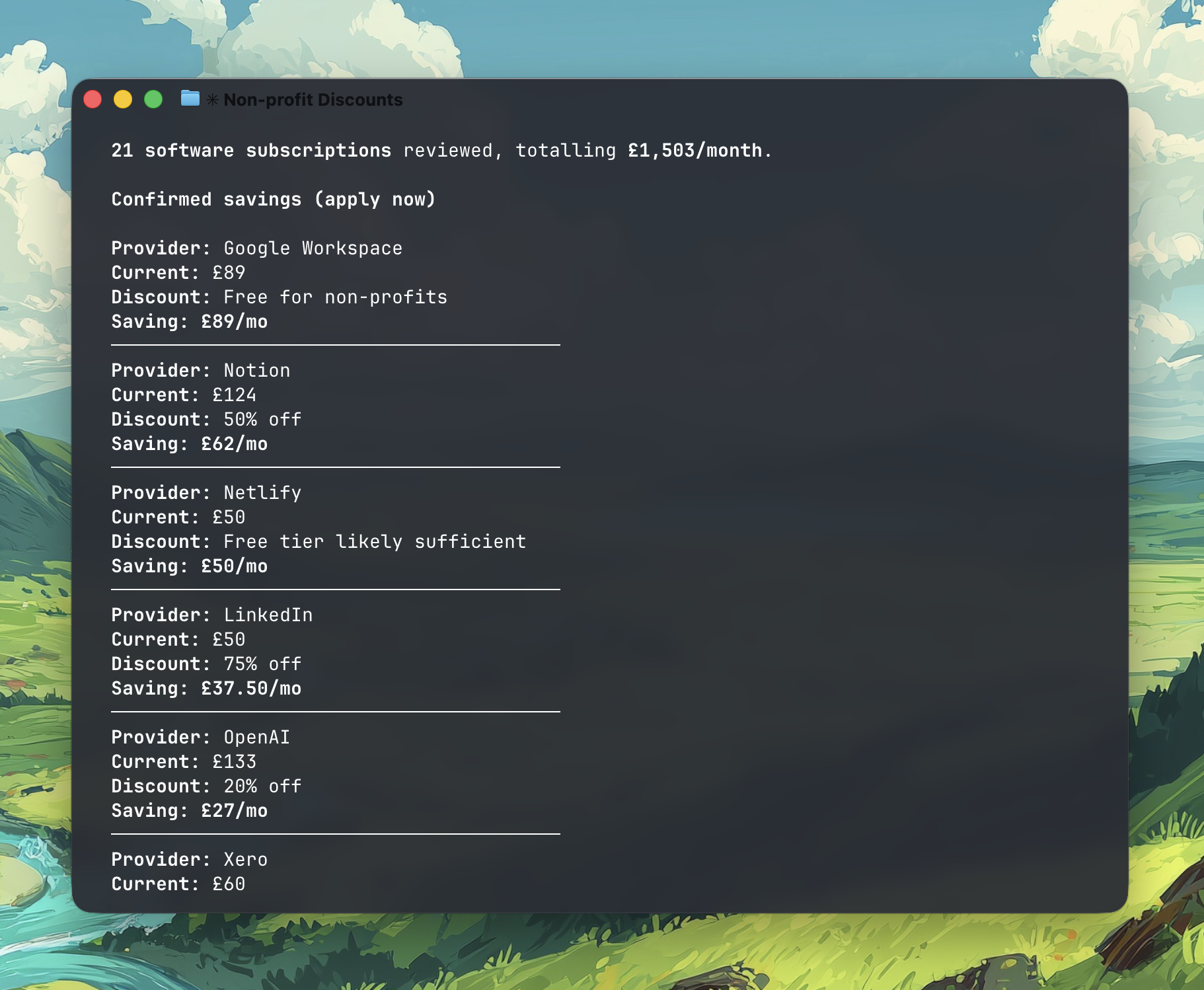
We used Firecrawl to pull the actual content from specific programme pages when we needed to verify details or dig into eligibility requirements.
The whole thing took about 3 minutes. Research, analysis, and a prioritised action plan.
If you want to try something similar, here's a simple prompt to start with:
I have a 501(c)(3) non-profit. Here are our software subscriptions: [paste your list]. For each provider, research whether they offer non-profit pricing or a free tier. Include: the discount available, how to apply, the verification method, and any eligibility requirements. Prioritise by potential savings.
You don't need a fancy setup. Paste that into Perplexity or Claude with your list of tools, and you'll get 80% of the way there.
What we found
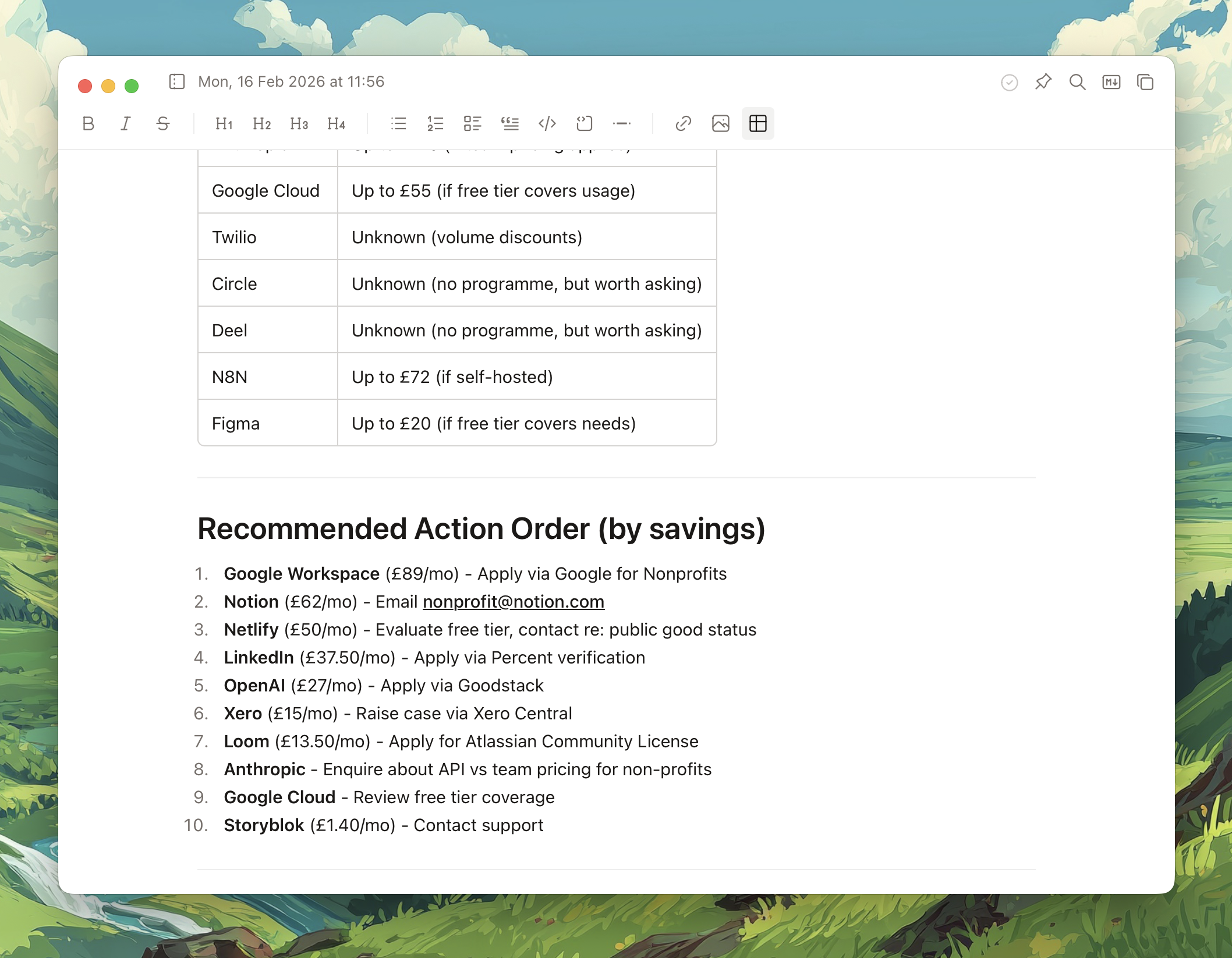
8 out of 24 providers have confirmed non-profit programmes. The confirmed savings total $375/month, or $4,500/year. Google Workspace offer a completely free tier for non-profits. We currently spend about $150/mo on Google Workspace.
The tools we used
- Bank statements as the raw data.
- Claude to extract and categorise every recurring subscription.
- Perplexity (deep research mode) to scan all 21 providers simultaneously.
- Firecrawl to extract details from specific programme pages.
None of this required code. Just clear instructions and the right tools pointed at the right problem.
The whole exercise took 5 minutes and uncovered $4,500 in annual savings.